Outbound Campaign Flow Guide
Table of Contents
- Overview
- Basic Campaign Configuration
- 2.1 Campaign Name
- 2.2 Select Assistant ID
- 2.3 Campaign Live Timing
- 2.4 Select Contact List(s)
- Advanced Campaign Settings
- 3.1 Max Retries in a Day
- 3.2 Interval Between Retries
- 3.3 Analysis Schema
- 3.4 Input Variables
- Campaign Configuration Examples
- Best Practices
- Getting Started
- Publish Outbound Call API
Overview
The Outbound Campaign Flow helps you launch automated voice campaigns at scale using AI Assistants. This guide walks you through each field in the interface so you can configure campaigns effectively and reach your target audience with personalized, intelligent conversations.
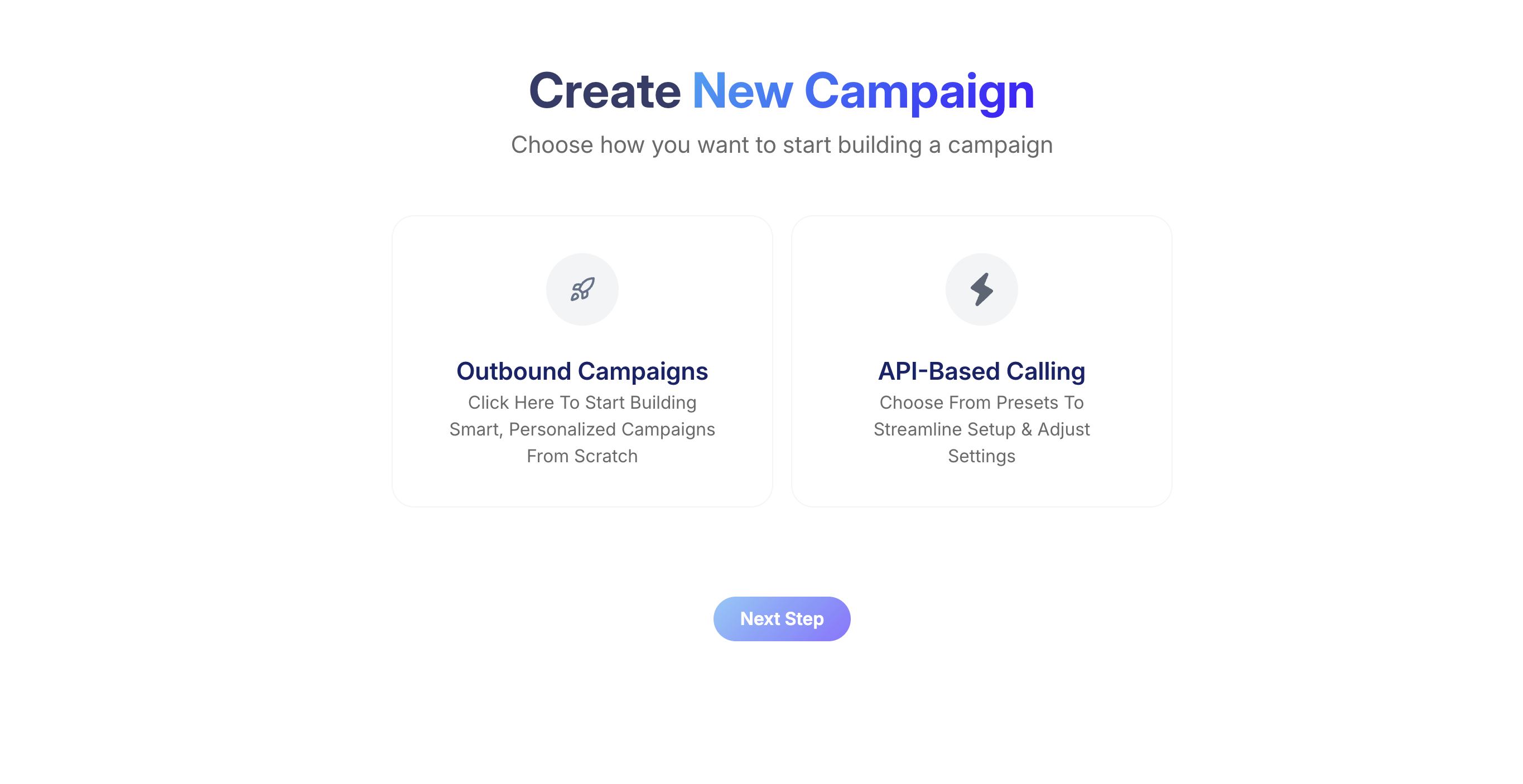
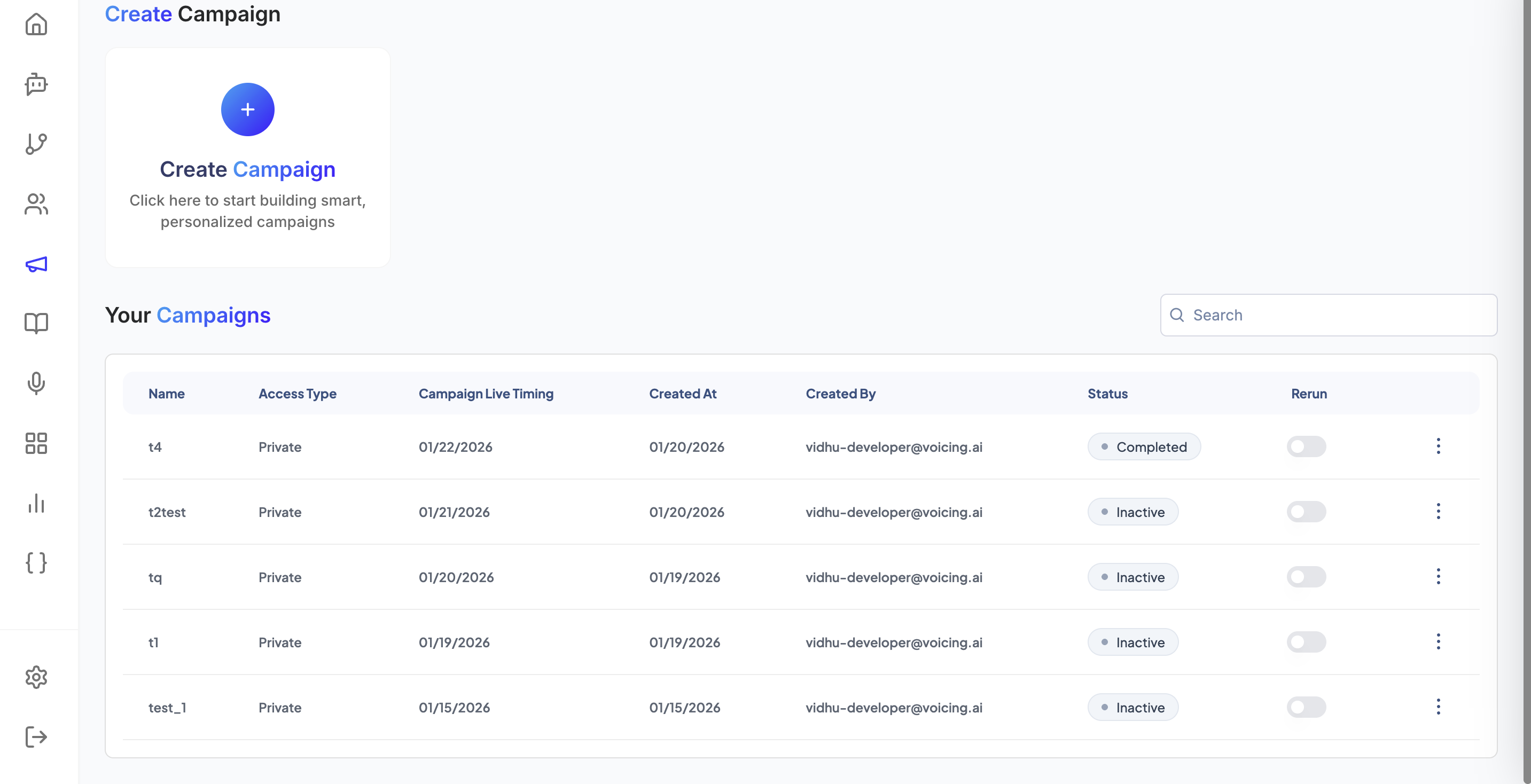
Outbound campaigns allow you to:
- Scale your outreach with automated AI-powered calls
- Personalize conversations using dynamic contact data
- Track performance with detailed analytics and reporting
- Optimize results through intelligent retry mechanisms
- Extract insights from call conversations automatically
Basic Campaign Configuration
Campaign Name
This is the title of your outbound campaign. It should be unique and descriptive, as it helps you easily identify and manage the campaign across your dashboard and reports.
Why It Matters: A clear campaign name allows you to quickly track performance, distinguish it from other campaigns, and stay organized—especially when running multiple campaigns simultaneously.
Naming Examples:
PolicyRenewal_May2025LoanReminder_Week1DemoCall_FollowupCustomerSatisfaction_Q2AppointmentConfirmation_March
Recommendation: Choose a name that reflects both the goal and audience of the campaign for maximum clarity.
Select Assistant ID
Choose the AI Assistant that will make the calls for this campaign from the dropdown menu.
How It Works: The selected assistant will follow its own configured settings:
- Voice and language preferences
- Conversation tone and personality
- Conversation script (prompt)
- Model selection and capabilities
Important Notes:
- Each campaign is linked to one assistant only
- Ensure your assistant is fully configured before assignment
- All calls in the campaign will follow consistent behavior
Pre-Campaign Checklist:
- ✅ Assistant voice is appropriate for your audience
- ✅ Conversation prompt is tested and refined
- ✅ Call transfer logic is configured (if needed)
- ✅ Tools integration is set up correctly
Campaign Live Timing
Set the start date and time for when the campaign should begin making outbound calls.
Scheduling Options:
- Immediate: Campaign starts as soon as it's created
- Future Date: Campaign remains scheduled until the specified time
- Time Zone Considerations: Ensure timing aligns with your target audience's location
Benefits of Scheduled Campaigns:
- Plan campaigns in advance without manual activation
- Coordinate with marketing initiatives
- Launch campaigns during optimal calling hours
- Manage multiple campaigns with staggered timing
Select Contact List(s)
Choose the contact lists that the campaign should call. These lists contain phone numbers and optional fields like names, customer IDs, or product information.
Selection Options:
- Single List: Use one contact list for focused campaigns
- Multiple Lists: Combine several lists for broader reach
- List Validation: Ensure lists contain required fields for your campaign
Contact List Requirements:
- Valid phone numbers (with country codes for international calling)
- Consistent data formatting across all contacts
- Required fields populated (based on your assistant's prompt needs)
List Management Tips:
- Remove duplicates before campaign launch
- Verify contact information is current
- Segment lists by campaign type or audience characteristics
Advanced Campaign Settings
[Campaign Metadata Interface Screenshot - Replace with actual image]
Max Retries in a Day
This field lets you set how many times the system should attempt calling the same contact within a single day if the call fails (e.g., busy line, no answer, or connection issues).
Configuration:
- Range: Typically 1-5 retries per day
- Purpose: Maximize connection rates without overwhelming contacts
- Balance: Persistence vs. respect for contact preferences
Example Configuration:
Max Retries: 3
The platform will attempt to call each contact up to three times in one day before stopping.
Recommended Settings by Campaign Type:
- Urgent notifications: 3-4 retries
- Sales calls: 2-3 retries
- Surveys/feedback: 1-2 retries
- Appointment reminders: 2-3 retries
Interval Between Retries
Specify how much time the system should wait between retry attempts for the same contact. Define this in hours and minutes to optimize calling timing.
Configuration Options:
- Minutes: For quick retries (15-60 minutes)
- Hours: For spaced attempts (1-8 hours)
- Mixed: Combine hours and minutes for precise timing
Example Configuration:
Interval: 1 hour 30 minutes
The system will retry the number 90 minutes after the last failed attempt.
Best Practices for Retry Intervals:
- Avoid short intervals to prevent spamming contacts
- Consider time zones when setting intervals
- Account for business hours in your timing
- Allow sufficient time between attempts for natural spacing
Recommended Intervals by Scenario:
- Business contacts: 2-4 hours
- Personal contacts: 3-6 hours
- Urgent matters: 1-2 hours
- Casual outreach: 4-8 hours
Analysis Schema
The Analysis Schema allows you to automatically extract structured information from each call conversation. This powerful feature enables data collection and automation based on call outcomes.
How It Works:
- Click "Add Analysis" to configure data extraction
- Upload or define a JSON schema specifying what information to capture
- The assistant automatically identifies and stores relevant data during calls
- Extracted data becomes available for analytics and downstream processes
Common Data Extraction Examples:
- Personal Information: Names, email addresses, phone numbers
- Appointment Details: Dates, times, locations, preferences
- Business Data: Account numbers, product interests, service requests
- Feedback: Satisfaction ratings, comments, suggestions
- Intent Classification: Purchase interest, complaint type, service needs
Use Cases:
- CRM Updates: Automatically populate customer records
- Appointment Booking: Capture and schedule confirmed appointments
- Lead Qualification: Extract interest levels and contact preferences
- Survey Data: Collect structured feedback responses
- Analytics: Track conversation outcomes and patterns
Sample JSON Schema Structure:
{
  "customer_name": "string",
  "email_address": "string",
  "appointment_date": "date",
  "interest_level": "integer",
  "next_action": "string"
}
Input Variables
Input Variables allow you to pass personalized, contact-specific data into the assistant before each call begins. These variables make conversations more natural and relevant by incorporating dynamic information.
Configuration Format: Variables are defined in key-value pairs where:
- Key: The variable name (e.g.,
customer_name,policy_id) - Value: The actual data from your contact list (e.g.,
Rahul,897123)
Example Configuration:
customer_name = Rahul
policy_id = 897123
account_balance = $1,250.00
renewal_date = March 15, 2025
How Variables Work in Conversations: The assistant can reference these variables naturally in speech:
"Hi Rahul, I'm calling about your policy number 897123. I see your renewal date is coming up on March 15, 2025, and your current account balance is $1,250.00."
Common Variable Types:
- Personal Data: Names, addresses, contact information
- Account Information: IDs, balances, status, dates
- Product Details: Model numbers, purchase dates, warranty info
- Interaction History: Last contact date, previous issues, preferences
- Custom Fields: Any specific data relevant to your campaign
Best Practices for Input Variables:
- Use clear, descriptive variable names
- Ensure data consistency across all contacts
- Test variables before launching campaigns
- Validate data quality to prevent errors during calls
- Document variable purposes for team reference
Campaign Configuration Examples
Example 1: Policy Renewal Campaign
Campaign Name: PolicyRenewal_Q2_2025
Assistant ID: Insurance_Renewal_Bot
Live Timing: 2025-04-01 09:00 AM
Contact Lists: Active_Policies_Expiring
Max Retries: 3
Retry Interval: 2 hours
Input Variables:
  - customer_name = [from contact list]
  - policy_number = [from contact list]
  - expiry_date = [from contact list]
  - renewal_premium = [from contact list]
Example 2: Appointment Confirmation Campaign
Campaign Name: Dental_Appointments_March
Assistant ID: Appointment_Reminder_Bot
Live Timing: 2025-03-15 10:00 AM
Contact Lists: Scheduled_Appointments
Max Retries: 2
Retry Interval: 4 hours
Analysis Schema: Appointment_Confirmation_Schema
Input Variables:
  - patient_name = [from contact list]
  - appointment_date = [from contact list]
  - doctor_name = [from contact list]
  - location = [from contact list]
Example 3: Customer Feedback Survey
Campaign Name: Satisfaction_Survey_December
Assistant ID: Survey_Collector_Bot
Live Timing: 2025-12-01 02:00 PM
Contact Lists: Recent_Customers
Max Retries: 1
Retry Interval: 6 hours
Analysis Schema: Survey_Response_Schema
Input Variables:
  - customer_name = [from contact list]
  - purchase_date = [from contact list]
  - product_name = [from contact list]
Best Practices
Campaign Planning
Pre-Launch Checklist:
- ✅ Test your assistant with sample contacts first
- ✅ Validate contact data for accuracy and completeness
- ✅ Configure retry settings appropriate for your campaign type
- ✅ Set up analysis schema if data extraction is needed
- ✅ Define input variables for personalization
- ✅ Schedule campaigns for optimal calling times
Timing Considerations:
- Business Hours: Align with your audience's availability
- Time Zones: Consider multiple zones for national campaigns
- Day of Week: Avoid Mondays/Fridays for business calls
- Seasonal Factors: Account for holidays and industry cycles
Contact Management
Data Quality Standards:
- Ensure phone numbers include proper country codes
- Validate email addresses if used in variables
- Remove duplicates across contact lists
- Keep contact information current and accurate
List Segmentation:
- Segment by demographics, behavior, or preferences
- Create separate campaigns for different audience types
- Use targeted messaging for each segment
- Track performance by segment for optimization
Retry Strategy Optimization
Retry Configuration Guidelines:
- High-Priority Campaigns: 3-4 retries with 1-2 hour intervals
- Standard Outreach: 2-3 retries with 2-4 hour intervals
- Low-Priority/Survey: 1-2 retries with 4-6 hour intervals
Monitoring and Adjustment:
- Track connection rates by retry attempt
- Adjust intervals based on response patterns
- Monitor for optimal calling times
- Reduce retries if contact complaints increase
Compliance and Ethics
Best Practices:
- Respect do-not-call preferences and maintain opt-out records
- Ensure consent for outbound calling campaigns
- Provide clear identification in assistant scripts
- Offer easy opt-out options during calls
- Maintain transparent communication about call purposes
Legal Considerations:
- Comply with local telecommunications regulations
- Follow industry-specific compliance requirements
- Document consent and opt-out requests
- Regular review of compliance procedures
Getting Started
Quick Start Guide
-
Prepare Your Campaign
- Define campaign objectives and target audience
- Prepare and validate contact lists
- Configure your AI assistant with appropriate prompts
-
Configure Basic Settings
- Choose a descriptive campaign name
- Select your configured assistant
- Set appropriate launch timing
- Upload and select contact lists
-
Set Advanced Options
- Configure retry attempts and intervals
- Set up analysis schema for data extraction
- Define input variables for personalization
- Test configuration with sample contacts
-
Launch and Monitor
- Review all settings before launch
- Monitor initial call performance
- Adjust settings based on results
- Track campaign analytics and outcomes
Campaign Launch Checklist
Before Launch:
- Campaign name is descriptive and unique
- Assistant is fully configured and tested
- Contact lists are validated and uploaded
- Retry settings are appropriate for campaign type
- Input variables are mapped correctly
- Analysis schema is configured (if needed)
- Launch timing is optimized for target audience
After Launch:
- Monitor initial call attempts and success rates
- Review extracted data quality (if using analysis schema)
- Track retry performance and adjust if needed
- Analyze campaign metrics and outcomes
- Document learnings for future campaigns
Next Steps
After launching your campaign:
- Monitor Performance: Track key metrics like connection rates, conversation success, and goal achievement
- Analyze Results: Review extracted data and conversation outcomes
- Optimize Future Campaigns: Apply learnings to improve subsequent outreach efforts
- Scale Operations: Expand successful campaign patterns to larger audiences
For additional support with campaign configuration or advanced features, please refer to our comprehensive documentation or contact our support team.
7. Publish Outbound Call API
This API allows your backend or external systems to trigger a single outbound phone call using a Voicing AI assistant. The call is queued in Voicing AI’s telephony system (configured telephony provider) and processed asynchronously.
Purpose
- Trigger a one-time transactional call (e.g., “call this user when X happens”).
- Integrate outbound calling with your backend workflows, CRMs, or automation scripts.
- Calls are delivered through your configured telephony provider.
- Every request creates a new outbound call record (non-idempotent).
Sample Use Cases
- Payment due reminder
- Delivery notifications
- Lead follow-up
- OTP verification
- Failed payment callback
- Event-based triggers from your own backend
Authentication
All requests must include a valid Voicing AI API token.
Header:
X-API-Key: <YOUR_API_TOKEN>
If missing or invalid → the API returns 401 Unauthorized.
7.1 Endpoint
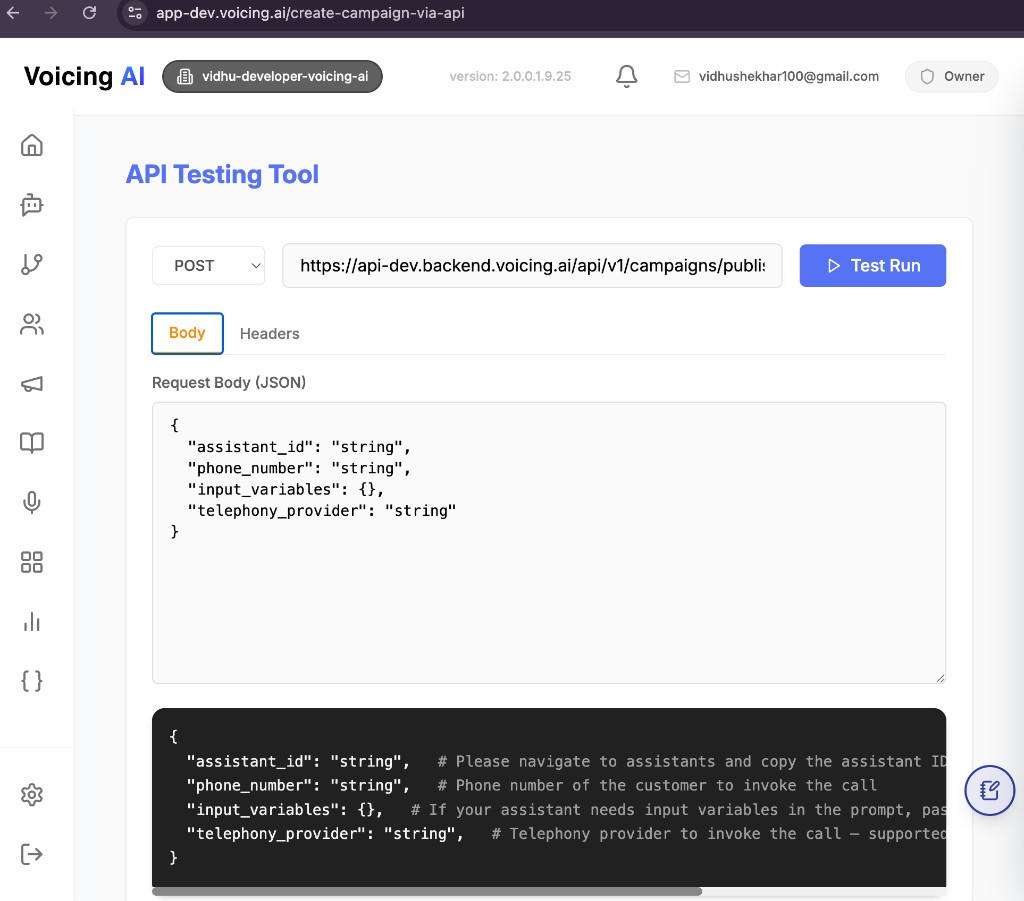
Method: POST
Path:
{BASE_URL}/api/v1/campaigns/publish-outbound-call
Base URLs
| Environment | URL |
|---|---|
| Production | https://api-dev.backend.voicing.ai/api/v1/campaigns/publish-outbound-call |
Full Example (Sandbox):
POST https://api.sandbox.voicing.ai/api/v1/campaigns/publish-outbound-call
7.2 Request Structure
Headers
Content-Type: application/json
X-API-Key: <YOUR_API_TOKEN>
Outbound Flow API Key
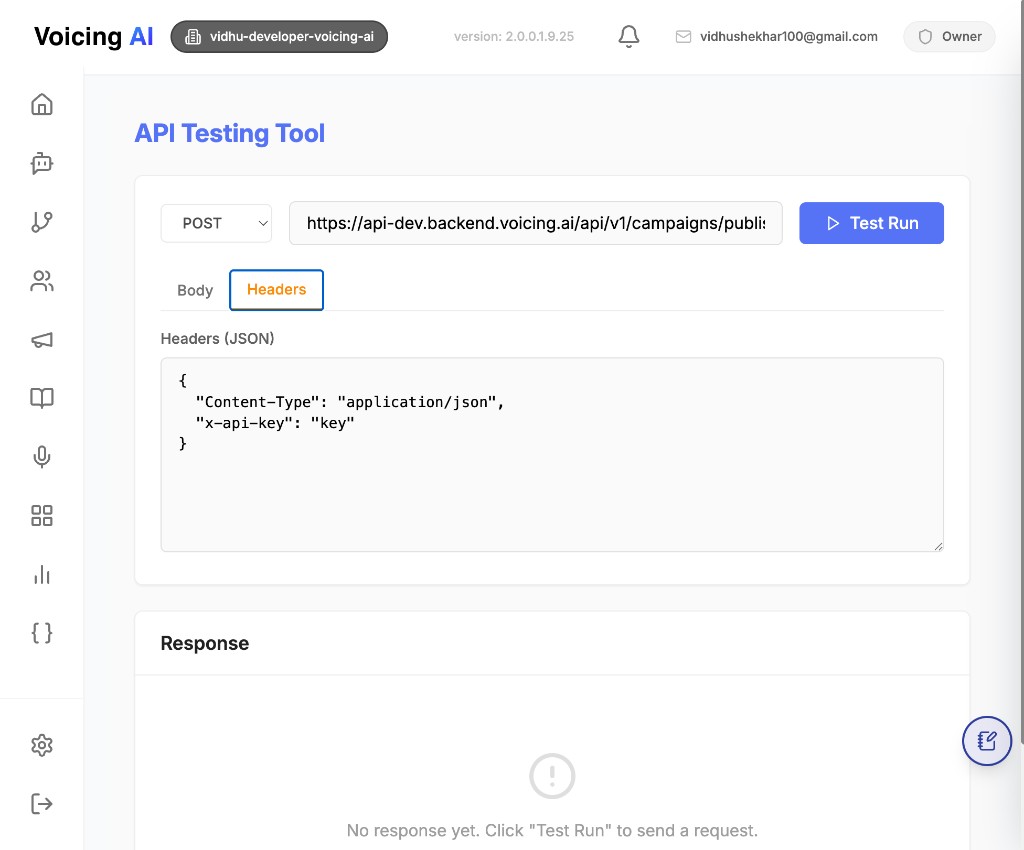
For outbound specific calls to:
https://api-dev.backend.voicing.ai/api/v1/campaigns/publish-outbound-call
Use the header format below:
{
  "Content-Type": "application/json",
  "x-api-key": "key"
}
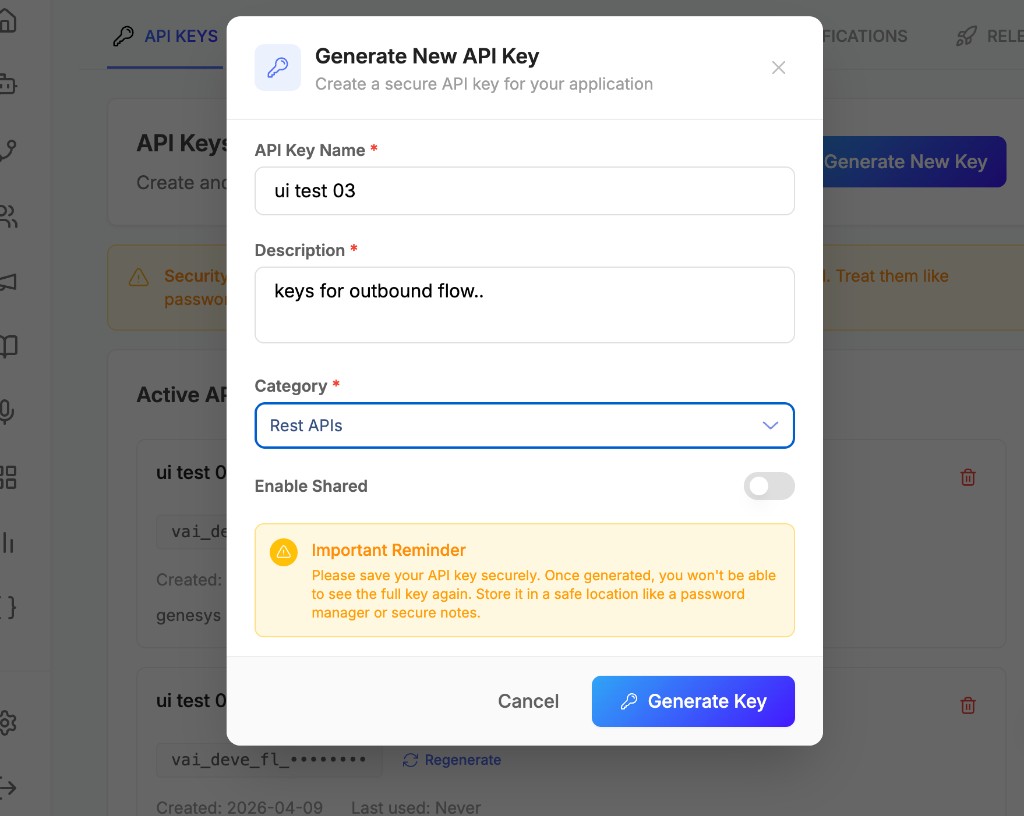
In x-api-key, pass only those keys which are saved under the category Rest APIs, because Rest APIs keys are used for the outbound flow.
Request Body
{
  "assistant_id": "019addcc-b878-7b10-85f1-49f21342f947",
  "phone_number": "7XXXXXXXX2",
  "input_variables": {
    "name": "John Doe",
    "plan_type": "Premium"
  },
  "telephony_provider": "default"
}
7.3 Field Details
assistant_id (string, required)
- The assistant that will handle the outbound call.
- Copy from the Voicing AI dashboard’s Assistant page.
- If the assistant does not exist → 404 Not Found.
phone_number (string, required)
- Destination phone number to call.
- Recommended format: E.164, e.g.:
+17018112582.
input_variables (object, optional)
Pass dynamic variables that your assistant prompt references.
Example assistant prompt:
Hi {{name}}, your {{plan_type}} plan payment is pending.
Then send:
{
  "input_variables": {
    "name": "John Doe",
    "plan_type": "Premium"
  }
}
If your assistant does not need variables → send `{}` or omit the field.

---

### **telephony_provider** (string, required)

Supported values:
- `"default"`

The selected provider must be configured for your organization.

---

## 7.4 Successful Response

### HTTP Status
200 OK
### Response Body
```json
{
  "status": "success",
  "message": "Outbound call started successfully",
  "call_id": "f4a0e9b1-1234-4e8a-9c56-abcdef123456"
}
Response Fields
| Field | Description |
|---|---|
| status | "success" on successful queuing |
| message | Human-readable status |
| call_id | Unique identifier of the outbound call |
You can use call_id with other APIs to fetch call analytics, transcripts, and call logs.
7.5 Error Responses
400 – Bad Request
Occurs when:
- JSON is invalid
- Required fields missing
- Assistant lookup failure wrapped as bad request
Example:
{
  "detail": "Error fetching assistant: <error details>"
}
Fix:
Use valid JSON (double quotes, no trailing commas).
401 – Unauthorized
Missing or incorrect API key.
Example:
{
  "detail": "Invalid API token"
}
Fix:
Add a valid API token to X-API-Key.
404 – Not Found
Occurs when:
- Assistant does not exist
- Assistant missing org/user linkage
Examples:
{
  "detail": "Assistant with ID 019addcc-b878-7b10-85f1-49f21342f947 not found"
}
{
  "detail": "User ID not found for assistant with ID 019addcc-b878-7b10-85f1-49f21342f947"
}
{
  "detail": "Organization ID not found for assistant with ID 019addcc-b878-7b10-85f1-49f21342f947"
}
500 – Internal Server Error
Occurs when:
- Token verification fails
- Assistant fetch fails unexpectedly
- DB save fails
- Pub/Sub publish fails
Example:
{
  "detail": "Failed to publish outbound call"
}
7.6 cURL Example
curl -X POST "https://api.sandbox.voicing.ai/api/v1/campaigns/publish-outbound-call" \
  -H "Content-Type: application/json" \
  -H "X-API-Key: YOUR_API_TOKEN_HERE" \
  -d '{
    "assistant_id": "019addcc-b878-7b10-85f1-49f21342f947",
    "phone_number": "7XXXXXXXX2",
    "input_variables": {
      "name": "John Doe",
      "plan_type": "Premium"
    },
    "telephony_provider": "default"
  }'
7.7 JavaScript Example (fetch)
const response = await fetch(
  "https://api.sandbox.voicing.ai/api/v1/campaigns/publish-outbound-call",
  {
    method: "POST",
    headers: {
      "Content-Type": "application/json",
      "X-API-Key": "YOUR_API_TOKEN_HERE",
    },
    body: JSON.stringify({
      assistant_id: "019addcc-b878-7b10-85f1-49f21342f947",
      phone_number: "7XXXXXXXX2",
      input_variables: {
        name: "John Doe",
        plan_type: "Premium",
      },
      telephony_provider: "default",
    }),
  }
);

const data = await response.json();
console.log(data);
7.8 Notes & Best Practices
- Use the returned
call_idto track call analytics and outcomes. - Ensure your telephony provider is configured in your Voicing AI org.
- Confirm that all
input_variablesmatch placeholders in your assistant prompt. - Use E.164 format for phone numbers when possible.
- Keep API tokens secret — never commit them to your repository.
- Your backend can call this API asynchronously after events (payment, signup, webhook triggers, etc.).
Last updated: [04/08/2026]