API Flow
This guide documents how to initiate and monitor phone calls via the Voicing AI HTTP APIs from the API Reference (API Flow) in the product, including POST to start an outbound call and GET to read call details. It also covers dynamic input_variables for assistants that use placeholders in prompts.
Table of Contents
- Overview
- Open API Reference (API Flow)
- Initiate an API-based outbound call
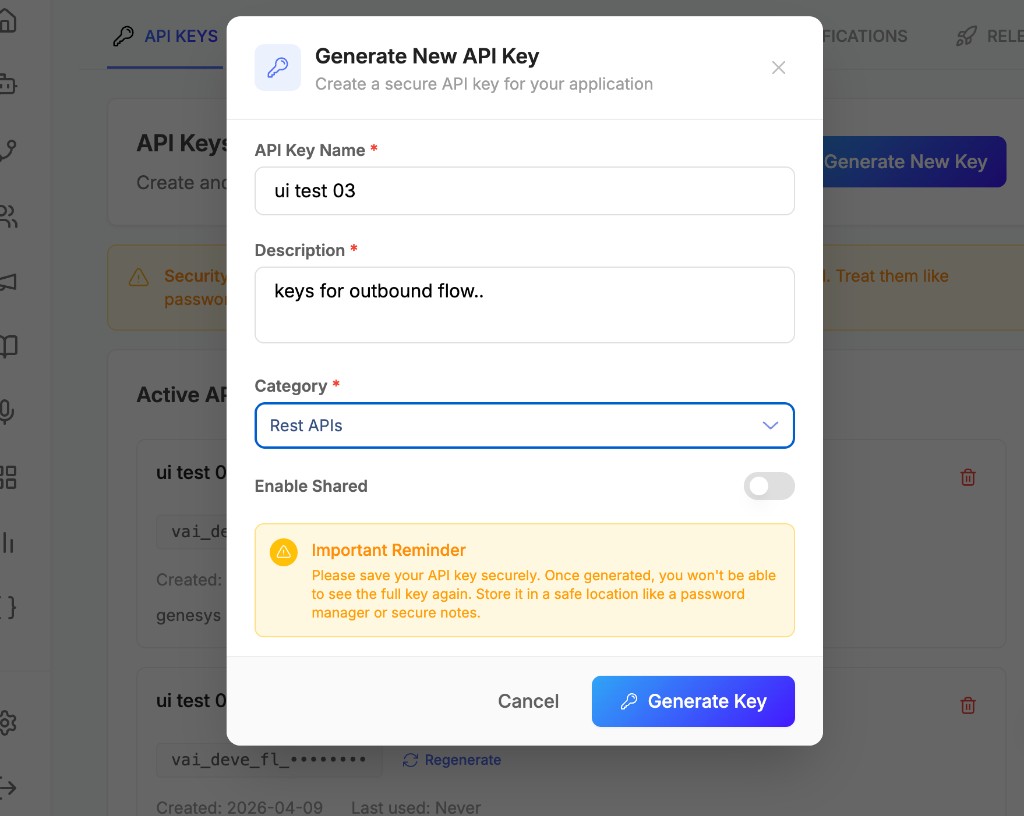
- Authentication and Rest APIs keys
- POST: Initiate Outbound Call
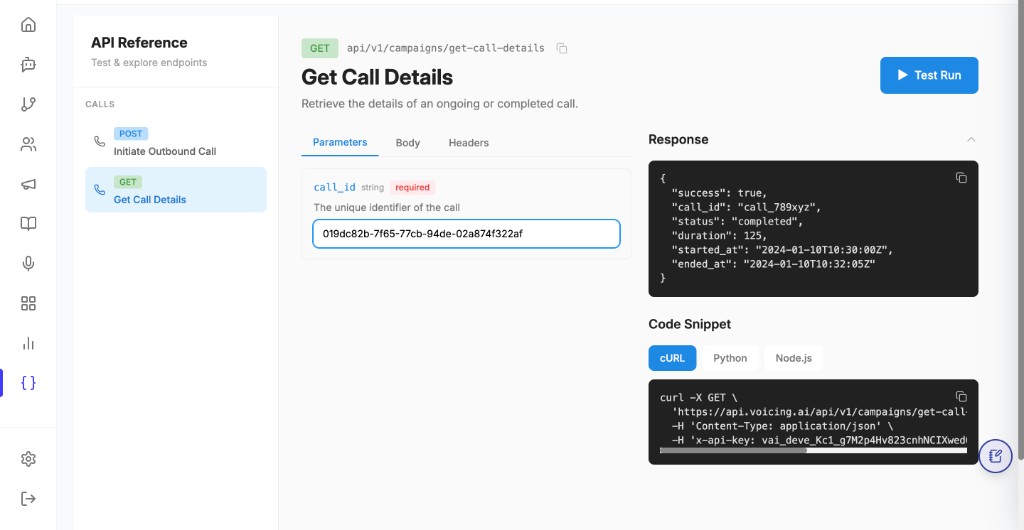
- Get call details (GET)
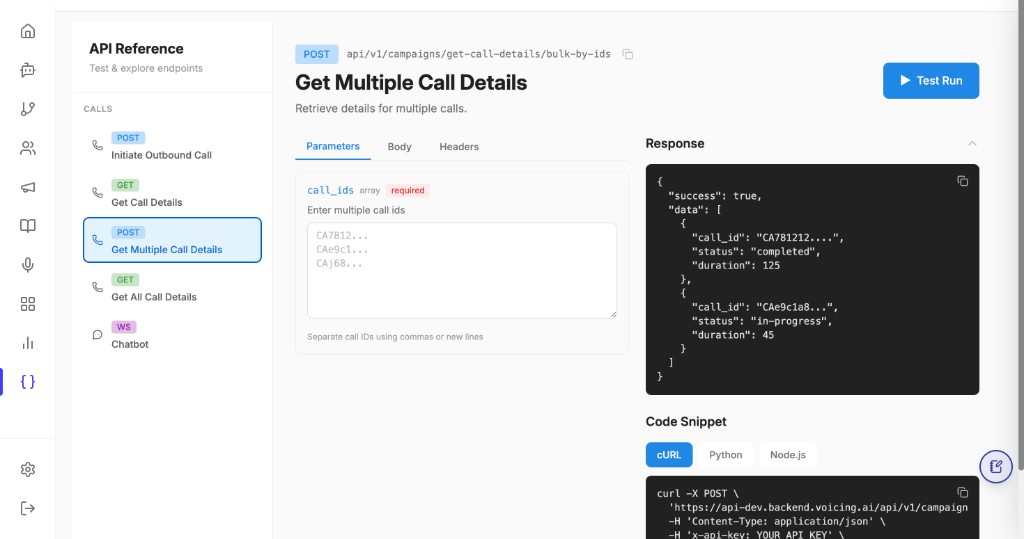
- Get all call details (GET)
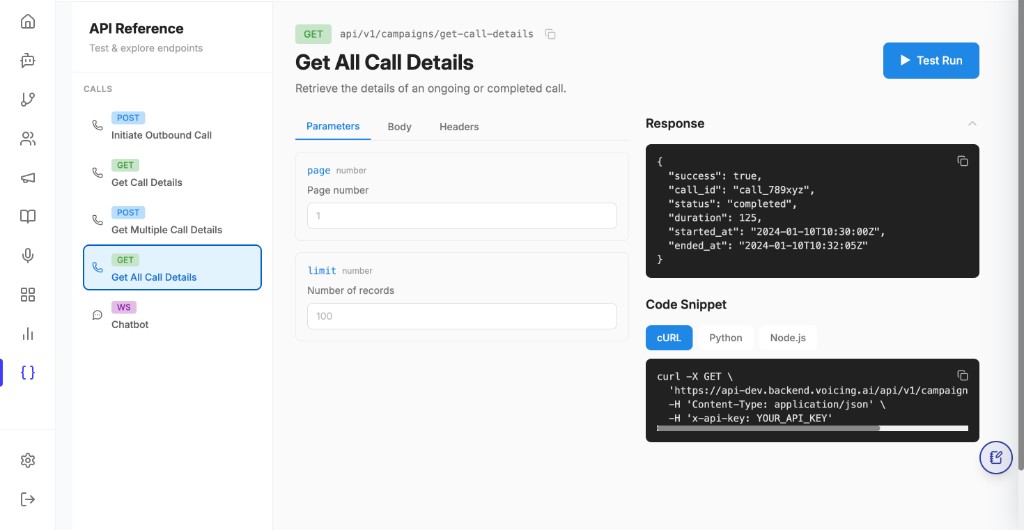
- Get multiple call details (POST)
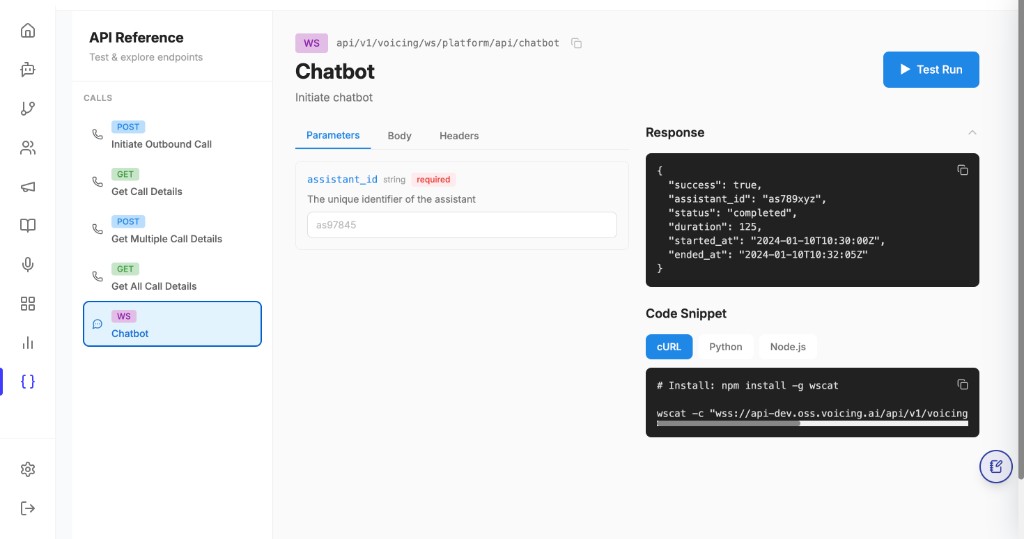
- WS Chatbot
- Best practices
1. Overview
- Initiate an outbound call with
POSTto.../campaigns/publish-outbound-call, passingassistant_id, destinationphone_number, optionalinput_variables(dynamic data for the assistant), andtelephony_provider. - Fetch call status and metadata with
GETto.../campaigns/get-call-details(or the path shown in your environment’s API Reference) using thecall_idreturned from the initiate call. - All requests are authenticated with an
x-api-key(see below). Keys used for the outbound flow must be created under the Rest APIs category in the platform.
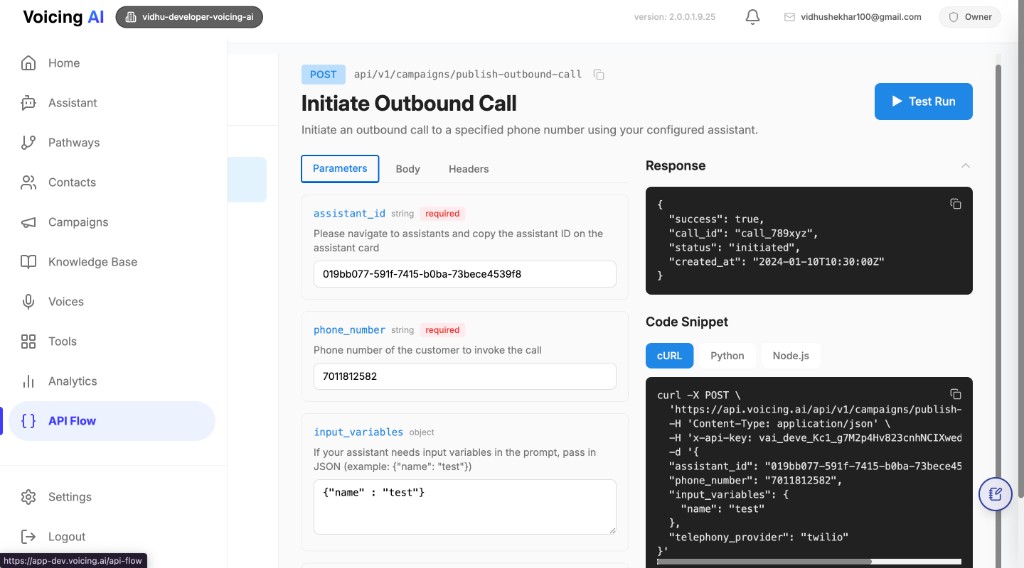
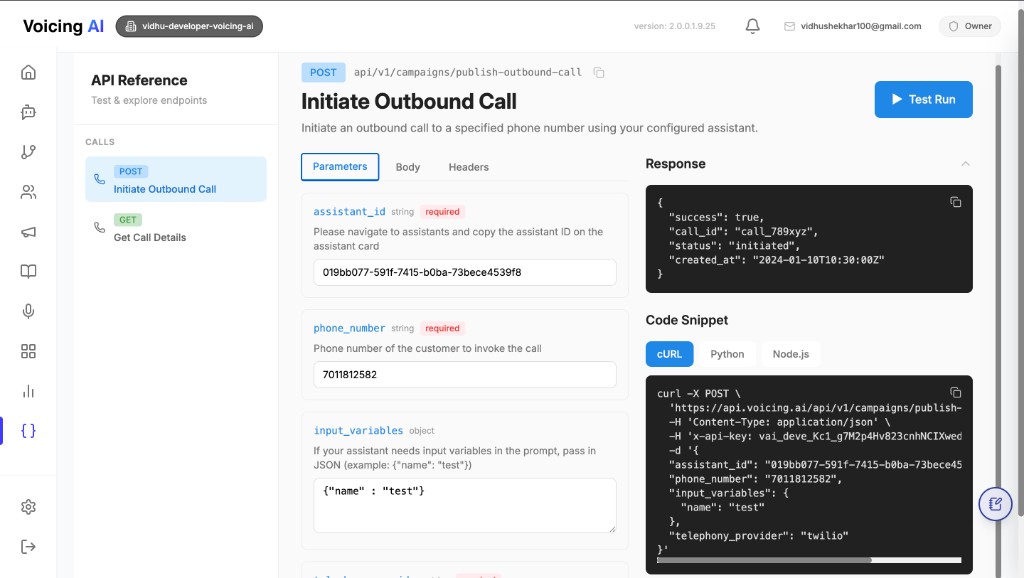
The in-product API Reference lets you see parameters, try Test Run, and copy cURL / other snippets.
2. Open API Reference (API Flow)
- In the platform sidebar, open API Flow (or API Reference).
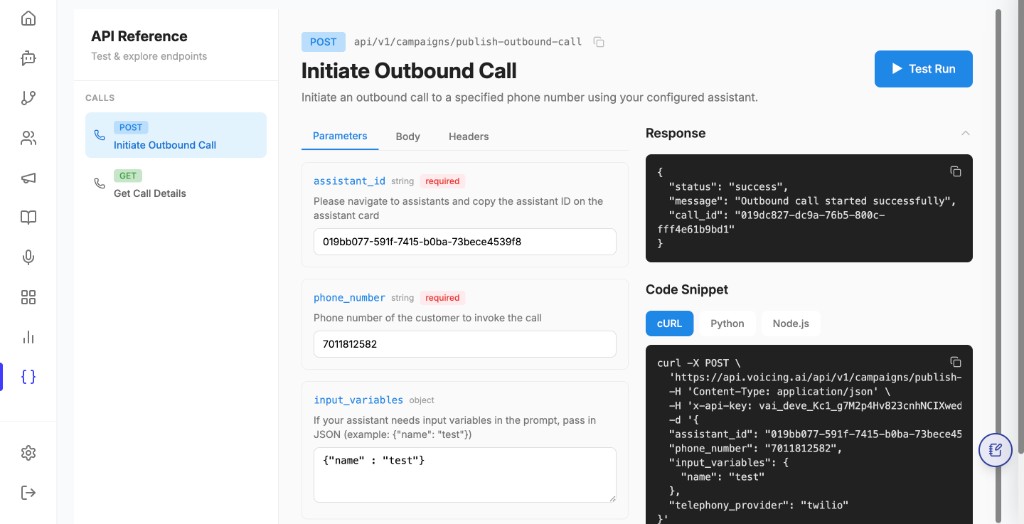
- Under CALLS, choose:
- POST Initiate Outbound Call — to start a call.
- GET Get Call Details — to look up a call by
call_id.
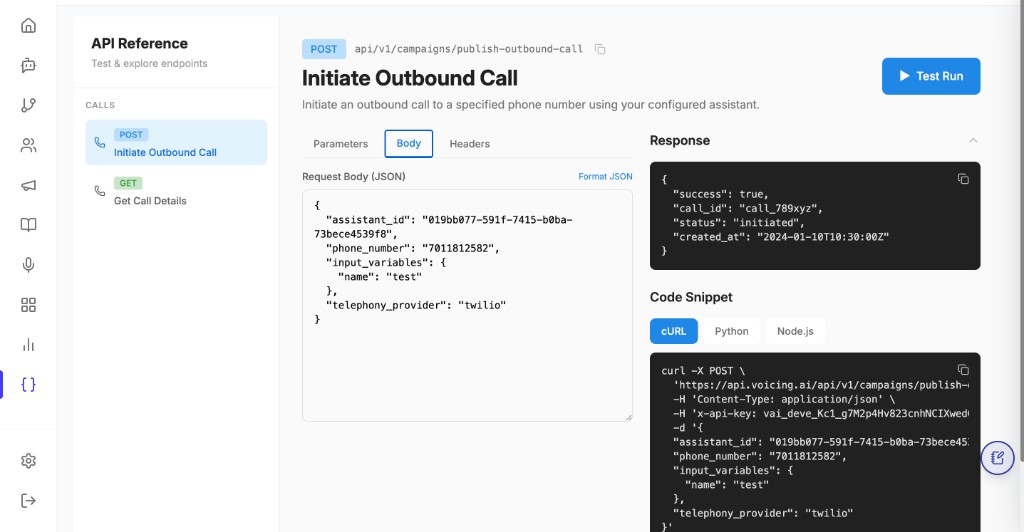
- Use the Parameters, Body, and Headers tabs to inspect required fields, then use Test Run or copy a Code Snippet (cURL, Python, Node.js).
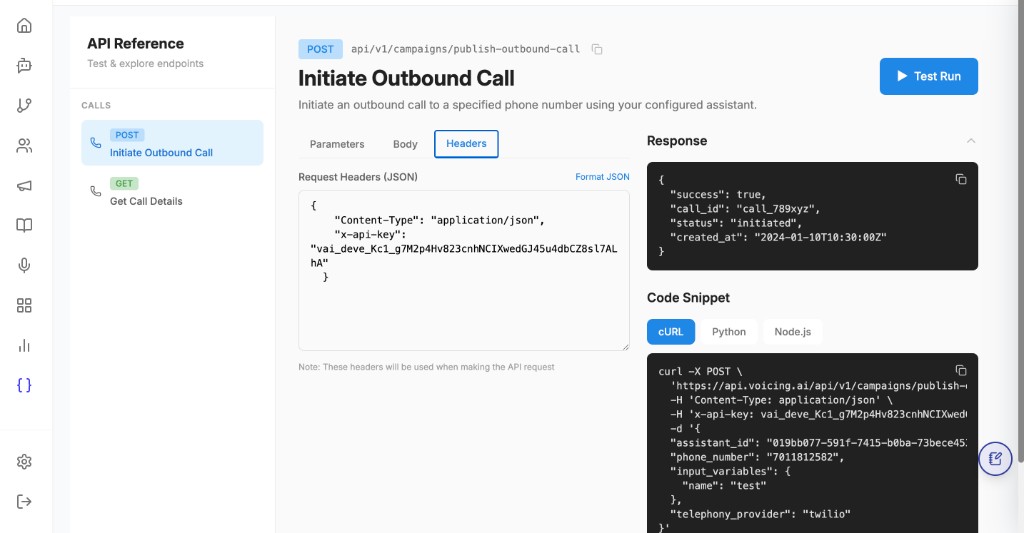
3. Initiate an API-based outbound call
High-level flow
- Create or copy an assistant and note its
assistant_id. - Ensure the assistant’s prompt (or configuration) uses placeholders that match the keys you will send in
input_variables(e.g.{{name}},{{plan_type}}). - Create an API key in Rest APIs and pass it as
x-api-key. - Call POST
publish-outbound-callwithphone_numberin a supported format (E.164 recommended). - Store the returned
call_id. Use it with GET get-call-details (and other observability UIs) to track the call.
4. Authentication and Rest APIs keys
- Send
Content-Type: application/jsonandx-api-keyon every call. - Generate keys that are categorized as Rest APIs; those keys are intended for the outbound and related REST flows (as configured in the product).
The Outbound Flow API Key subsection below shows the key UI and header shape.
5. POST: Initiate Outbound Call
Method: POST
Path (dev example): https://api-dev.backend.voicing.ai/api/v1/campaigns/publish-outbound-call
Your API Reference may show a shorter path such as api/v1/campaigns/publish-outbound-call — use the full base URL for your environment (development, staging, production).
Description: Initiate an outbound call to a phone number using the configured assistant.
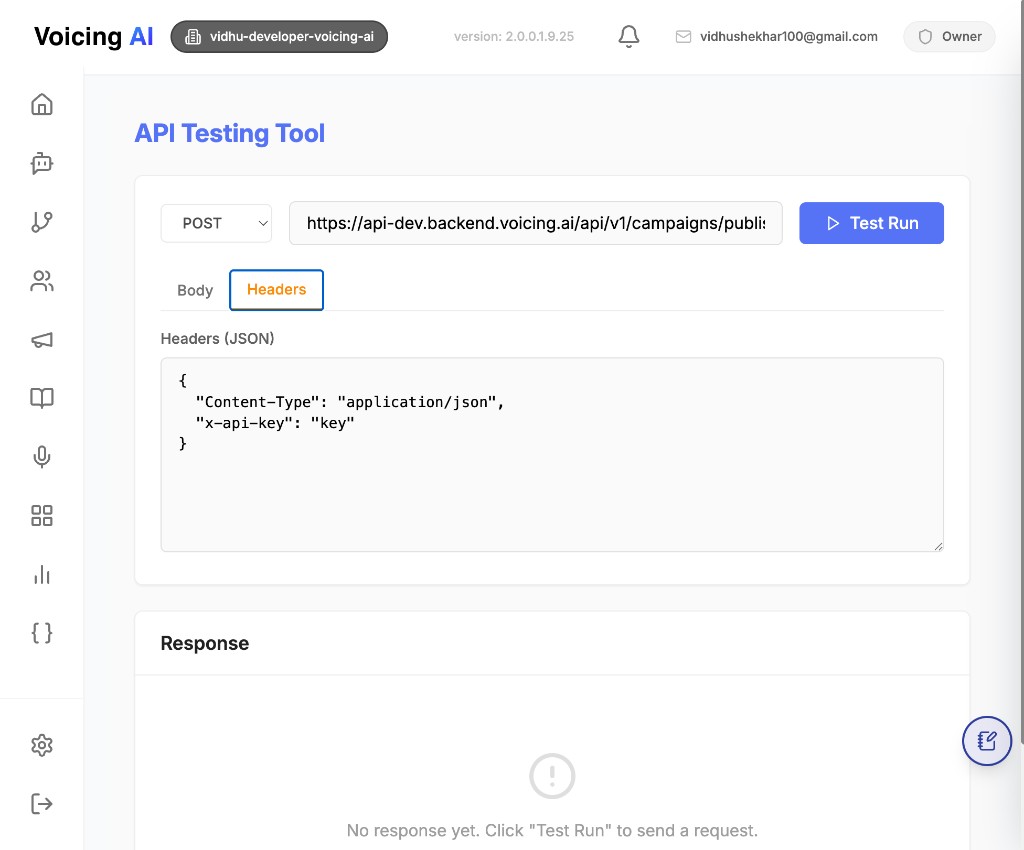
5.1 Outbound Flow API Key
For outbound specific calls to:
https://api-dev.backend.voicing.ai/api/v1/campaigns/publish-outbound-call
Use the header format below:
{
  "Content-Type": "application/json",
  "x-api-key": "key"
}
In x-api-key, pass only those keys which are saved under the category Rest APIs, because Rest APIs keys are used for the outbound flow.
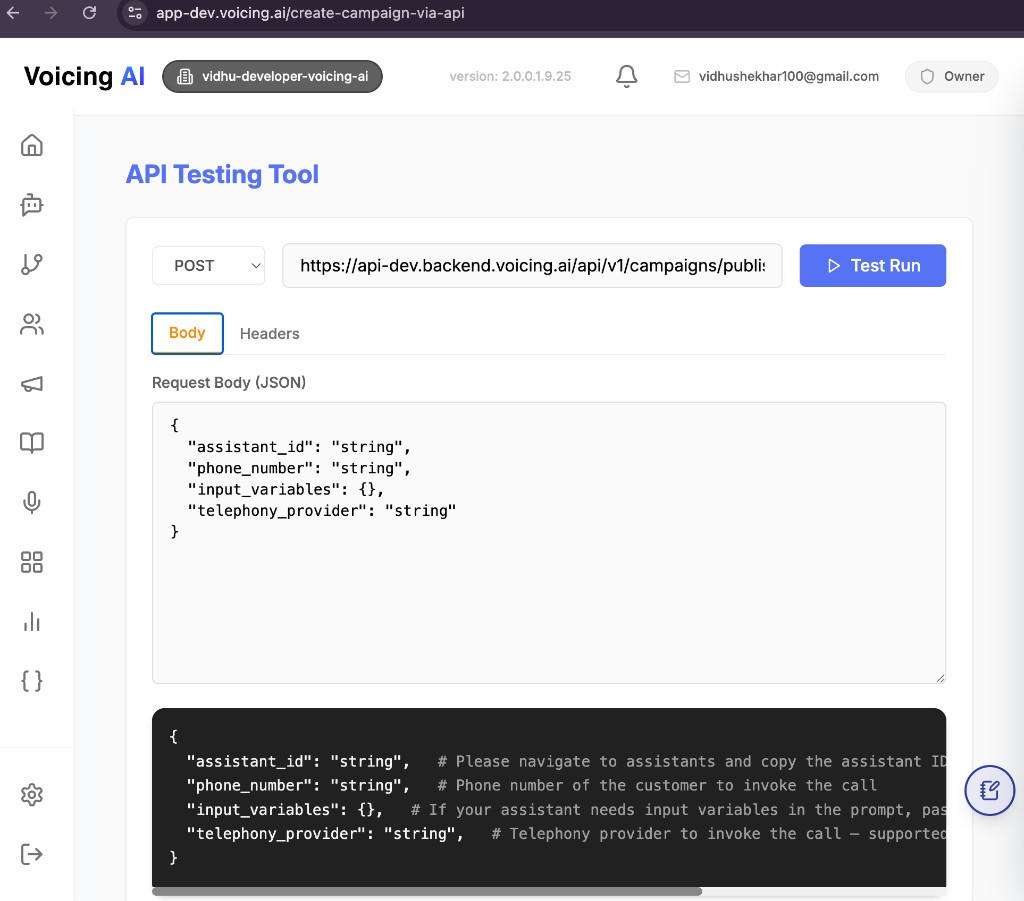
5.2 Request body
{
  "assistant_id": "019addcc-b878-7b10-85f1-49f21342f947",
  "phone_number": "7XXXXXXXX2",
  "input_variables": {
    "name": "John Doe",
    "plan_type": "Premium"
  },
  "telephony_provider": "default"
}
5.3 Field details
assistant_id (string, required)
- The assistant that will handle the outbound call.
- Copy from the Voicing AI dashboard’s Assistant page.
- If the assistant does not exist → 404 Not Found.
phone_number (string, required)
- Destination phone number to call.
- Recommended format: E.164, e.g.
+17018112582.
input_variables (object, optional)
Pass dynamic variables that your assistant prompt references.
Example assistant prompt:
Hi {{name}}, your {{plan_type}} plan payment is pending.
Then send:
{
  "input_variables": {
    "name": "John Doe",
    "plan_type": "Premium"
  }
}
If your assistant does not need variables → send {} or omit the field.
telephony_provider (string, required)
Supported values:
"default"
The selected provider must be configured for your organization.
5.4 Successful response
HTTP status
200 OK
Response body
{
  "status": "success",
  "message": "Outbound call started successfully",
  "call_id": "f4a0e9b1-1234-4e8a-9c56-abcdef123456"
}
Response fields
| Field | Description |
|---|---|
| status | "success" on successful queuing |
| message | Human-readable status |
| call_id | Unique identifier of the outbound call |
You can use call_id with other APIs to fetch call analytics, transcripts, and call logs.
5.5 Error responses
400 – Bad request
Occurs when:
- JSON is invalid
- Required fields are missing
- Assistant lookup failure is wrapped as bad request
Example:
{
  "detail": "Error fetching assistant: <error details>"
}
Fix: Use valid JSON (double quotes, no trailing commas).
401 – Unauthorized
Missing or incorrect API key.
Example:
{
  "detail": "Invalid API token"
}
Fix: Add a valid API token to X-API-Key / x-api-key as required by your client.
404 – Not found
Occurs when:
- Assistant does not exist
- Assistant is missing org/user linkage
Examples:
{
  "detail": "Assistant with ID 019addcc-b878-7b10-85f1-49f21342f947 not found"
}
{
  "detail": "User ID not found for assistant with ID 019addcc-b878-7b10-85f1-49f21342f947"
}
{
  "detail": "Organization ID not found for assistant with ID 019addcc-b878-7b10-85f1-49f21342f947"
}
500 – Internal server error
Occurs when:
- Token verification fails
- Assistant fetch fails unexpectedly
- Database save fails
- Message publish/dispatch fails
Example:
{
  "detail": "Failed to publish outbound call"
}
5.6 cURL example
curl -X POST "https://api.sandbox.voicing.ai/api/v1/campaigns/publish-outbound-call" \
  -H "Content-Type: application/json" \
  -H "X-API-Key: YOUR_API_TOKEN_HERE" \
  -d '{
    "assistant_id": "019addcc-b878-7b10-85f1-49f21342f947",
    "phone_number": "7XXXXXXXX2",
    "input_variables": {
      "name": "John Doe",
      "plan_type": "Premium"
    },
    "telephony_provider": "default"
  }'
Replace the base URL with the host shown in your API Reference for the target environment.
5.7 JavaScript example (fetch)
const response = await fetch(
  "https://api.sandbox.voicing.ai/api/v1/campaigns/publish-outbound-call",
  {
    method: "POST",
    headers: {
      "Content-Type": "application/json",
      "X-API-Key": "YOUR_API_TOKEN_HERE",
    },
    body: JSON.stringify({
      assistant_id: "019addcc-b878-7b10-85f1-49f21342f947",
      phone_number: "7XXXXXXXX2",
      input_variables: {
        name: "John Doe",
        plan_type: "Premium",
      },
      telephony_provider: "default",
    }),
  }
);

const data = await response.json();
console.log(data);
5.8 Notes (POST)
- Use the returned
call_idto track call analytics and outcomes. - Ensure your telephony provider is configured in your Voicing AI org.
- Confirm that all
input_variablesmatch placeholders in your assistant prompt. - Use E.164 format for phone numbers when possible.
- Keep API tokens secret — never commit them to your repository.
- Your backend can call this API asynchronously after events (payment, signup, webhooks, etc.).
6. Get call details (GET)
Use this to retrieve details for an ongoing or completed call using the call_id from the initiate response (or from your call records).
Method: GET
Path (example as shown in API Reference): api/v1/campaigns/get-call-details
Pass call_id as a required query or path parameter per your environment’s spec (the in-product Parameters tab shows the exact contract).
Typical use
- Verify status (initiated, ringing, completed, failed, etc.)
- Read duration, timestamps, or other metadata returned for your org.
Example success response (illustrative)
{
  "success": true,
  "call_id": "call_789xyz",
  "status": "completed",
  "duration": 125,
  "started_at": "2024-01-10T10:30:00Z",
  "ended_at": "2024-01-10T10:32:05Z"
}
Example cURL (shape)
curl -X GET \
  'https://api.voicing.ai/api/v1/campaigns/get-call-details?call_id=YOUR_CALL_ID' \
  -H 'Content-Type: application/json' \
  -H 'x-api-key: YOUR_API_TOKEN_HERE'
Adjust query vs path to match Get Call Details in your API Reference.
7. Get all call details (GET)
Use this endpoint when you want a paginated list of call records instead of one specific call_id.
It is useful for dashboard sync jobs, reporting scripts, and admin-level monitoring.
Method: GET
Path (as shown in API Reference): api/v1/campaigns/get-call-details
7.1 Common query parameters
| Parameter | Type | Required | Description |
|---|---|---|---|
page | number | No | Page number to fetch (starts from 1). |
limit | number | No | Number of records per page. |
If your environment has additional filters (date range, assistant, campaign, status), check the Parameters tab in API Reference and use those fields as documented there.
7.2 Typical use
- Fetch recent call records in batches.
- Build internal reports from call history.
- Audit call outcomes at scale.
7.3 Example cURL (shape)
curl -X GET \
  'https://api-dev.backend.voicing.ai/api/v1/campaigns/get-call-details?page=1&limit=100' \
  -H 'Content-Type: application/json' \
  -H 'x-api-key: YOUR_API_KEY'
7.4 UI reference
8. Get multiple call details (POST)
Use this endpoint when you already have a list of call IDs and want to fetch details for all of them in one request. This is helpful for backend workflows where calls are tracked in your own system and you need fast status reconciliation.
Method: POST
Path (as shown in API Reference): api/v1/campaigns/get-call-details/bulk-by-ids
8.1 Request body (shape)
{
  "call_ids": [
    "CA781212...",
    "CAe9c1a8...",
    "CAJ68..."
  ]
}
8.2 Typical response shape
{
  "success": true,
  "data": [
    {
      "call_id": "CA781212...",
      "status": "completed",
      "duration": 125
    },
    {
      "call_id": "CAe9c1a8...",
      "status": "in-progress",
      "duration": 45
    }
  ]
}
8.3 Typical use
- Refresh status for a known list of calls.
- Reconcile call outcomes with CRM/ticketing records.
- Reduce API round-trips compared with one-by-one fetch.
8.4 UI reference
9. WS Chatbot
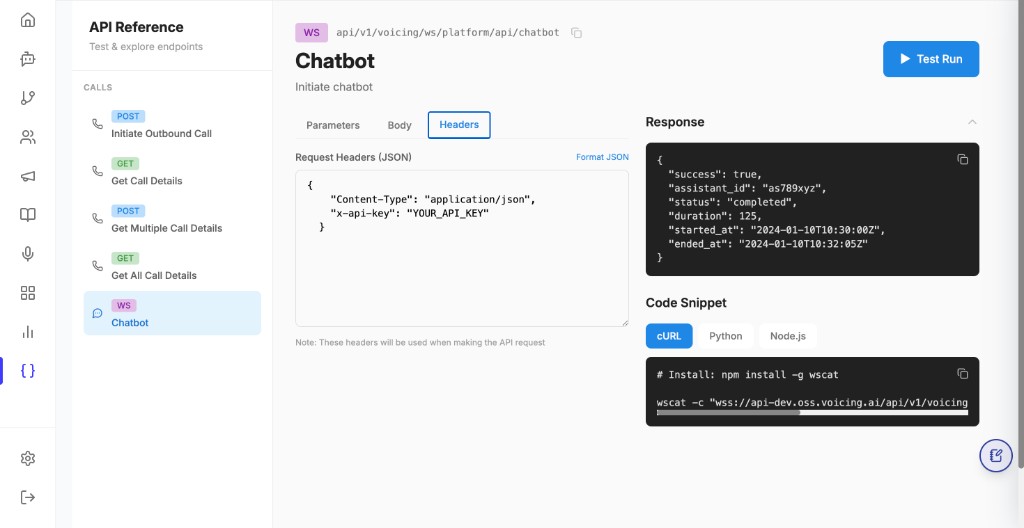
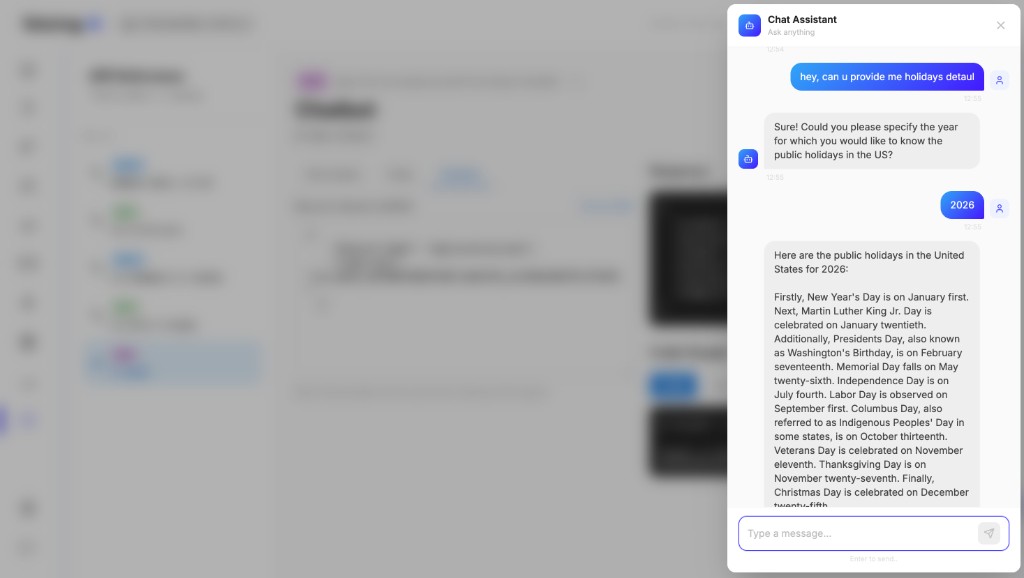
Use this WebSocket endpoint to initiate and test chatbot interactions from API Reference. This is useful when you want to validate assistant behavior in a chat-style flow without placing a call.
Protocol: WS
Path (as shown in API Reference): api/v1/voicing/ws/platform/api/chatbot
9.1 Required parameter
| Parameter | Type | Required | Description |
|---|---|---|---|
assistant_id | string | Yes | Unique identifier of the assistant to run chatbot interaction. |
9.2 Required headers
Use the same auth pattern as REST APIs:
{
  "Content-Type": "application/json",
  "x-api-key": "YOUR_API_KEY"
}
9.3 Typical use
- Quickly test assistant responses in a conversational UI.
- Validate prompt behavior before running outbound calls.
- Verify tool/knowledge behavior in a lower-cost test flow.
9.4 UI references
10. Best practices
- Test POST in API Reference with a known test number and assistant before production traffic.
- Align
input_variableskeys with the assistant template variable names. - Rotate keys and store them in a secret manager; use Rest APIs keys only as intended.
- Log
call_idin your system of record to correlate with GET details and support tickets.
Last updated: [05/28/2026]